Family Budget Sheet
Click here to download our free
family budget sheet
If step one in organizing your
monthly bills is to gather them up in one place via a dedicated "Bills Only"
email service then step two is to know exactly how much your monthly bills
actually are.
There are several ways to
organize, categorize, and determine exactly how much your monthly bills total
each month. One of the simpler methods is log on to your online bank and then
download the monthly expenses into your Microsoft Money, Peachtree Accounting,
Sage 50, Quicken, Simply Accounting, or Quickbooks accounting software programs.
What about all of the people that
don't want or don't have an expensive home accounting software program to
organize and categorize their monthly bill expenditures?
BillsOnly.com has created a simply
family budget sheet in a Microsoft excel family budget spreadsheet. This sheet
will help you:
-
Organize your
monthly bills
-
Calculate monthly
total bill expenses automatically
-
Calculate
yearly total bill expenses automatically
-
Calculate
average yearly expenses automatically
-
Next year simply save this as " 2013 Family
Budget Sheet ." To start all over again next year save it again as 2014,
etc....
The basic family budget sheet
features:
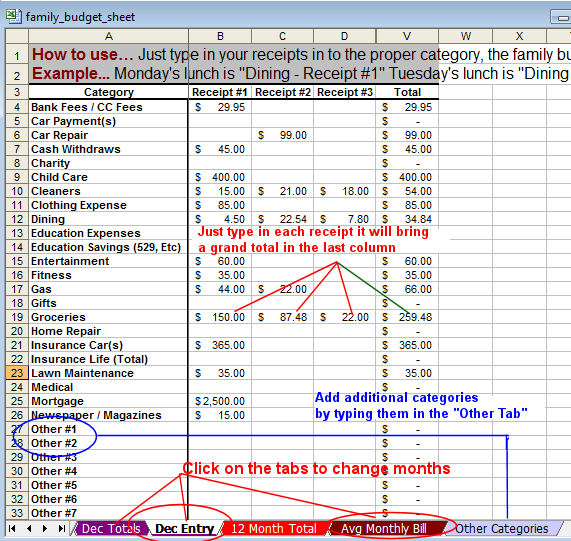
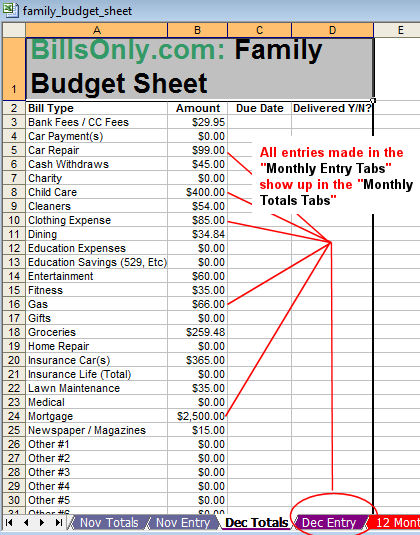
To use the family budget sheet click the link above
on your personal computer you have to save it. When the file download box comes up hit the
"save" button. It is going to ask you where to save it. My advice is to put it
somewhere you can find it easily like your desktop.

Once the family budget sheet is saved, open it and it is ready to use.
Some new additions and deletions
to our Family Budget Sheet.
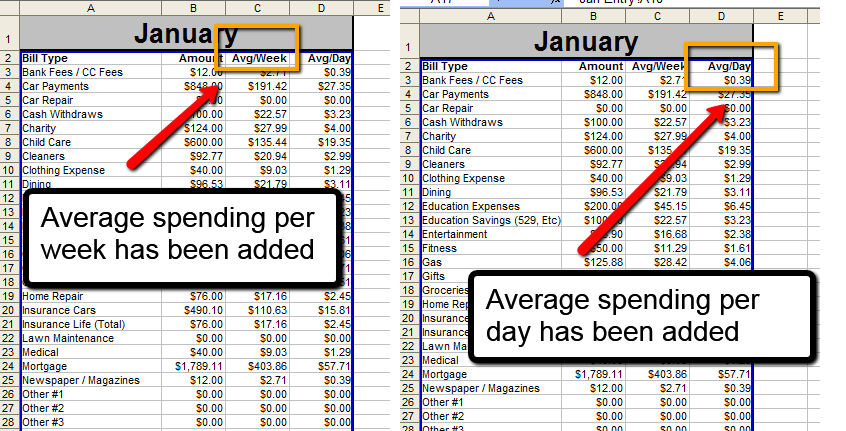
1) We deleted the filter buttons
and replaced them with WEEKLY average per category and DAILY average per
category.
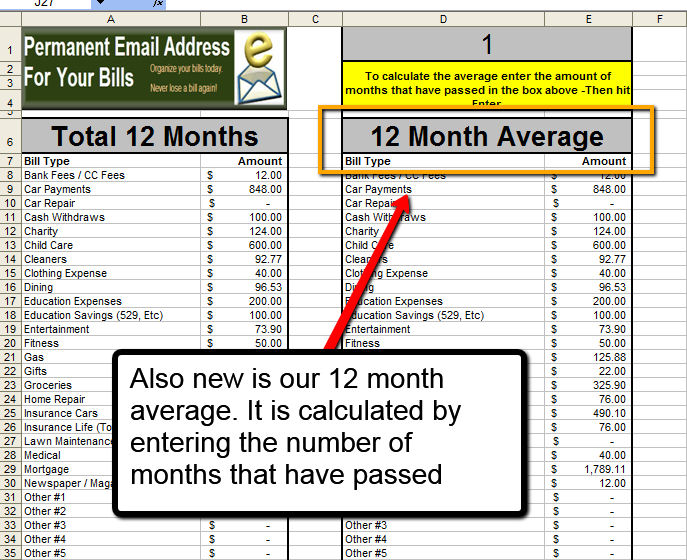
2) We took away the old Averages
Tab and put the averages on the Totals Tab
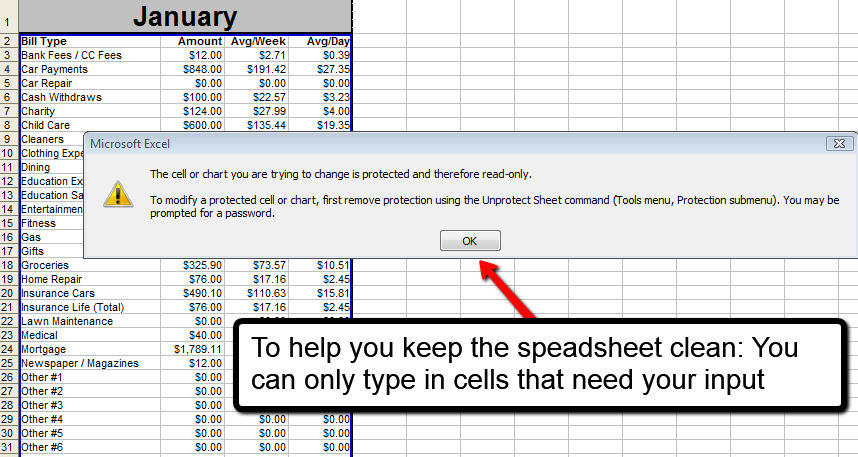
3) We made the worksheet a little
more forgiving by locking down the cells that we don't need to accidentally type
over.
We hope you like the changes keep
the ideas coming by sending an email to
info@billsonly.com
|